Question

Issues with Connecting to Report Designer

  • May 15, 2026
  • 4 replies
  • 47 views

Forum|alt.badge.img+1

Hi,

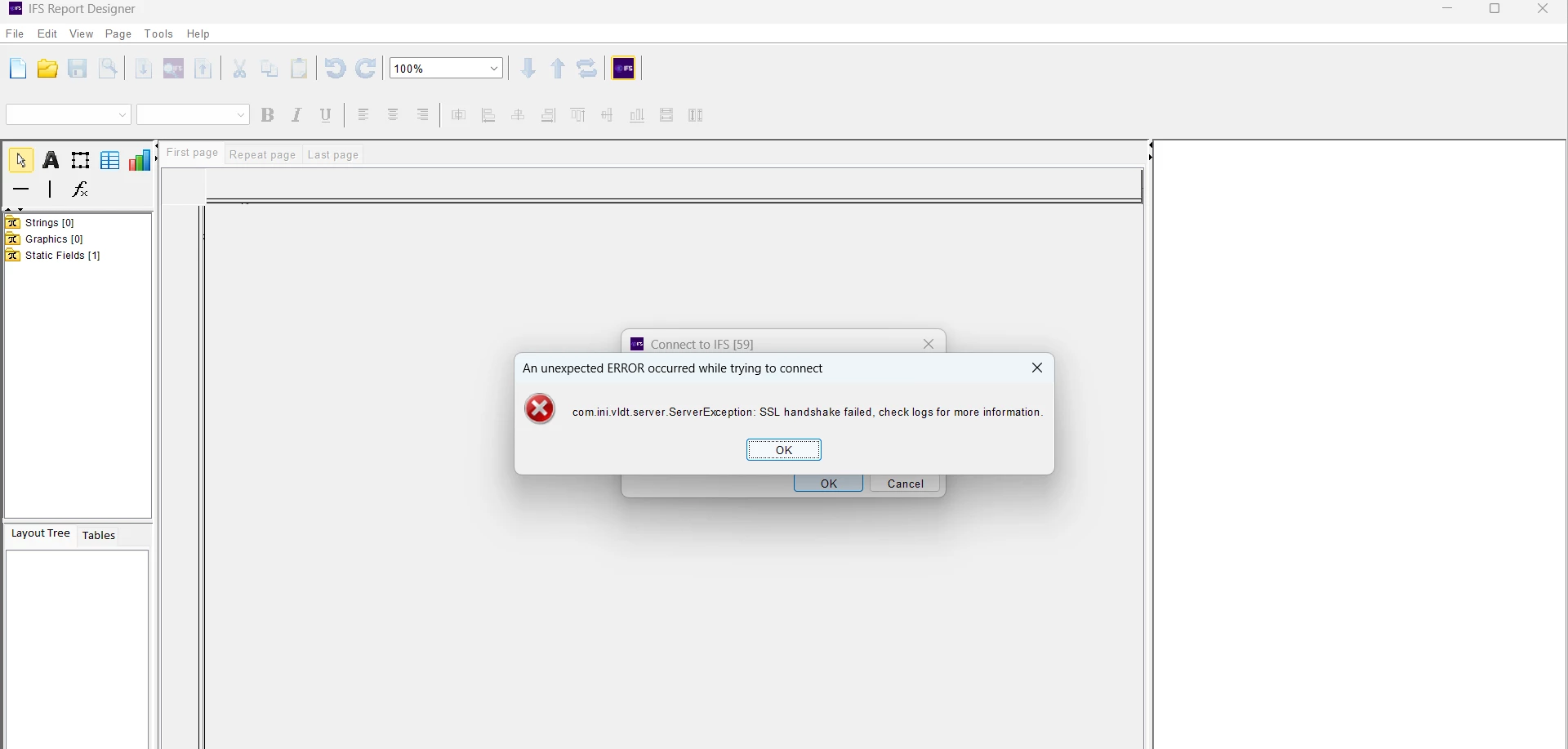
I am working on the Build Place project. I downloaded the certificate from the Dev environment and used it in Report Designer, but I got the below error. I already added certificate to certificate folder under report designer.



4 replies

Forum|alt.badge.img+17
  • Superhero (Partner)
  • May 15, 2026

Hi

Have You added certfile into ...\IFSReportDesigner\certificates subfolder?


Forum|alt.badge.img+1

Hi ​@knepiosko ,

Yes, I added the certificate to the \IFSReportDesigner\certificates subfolder.


Forum|alt.badge.img+17
  • Superhero (Partner)
  • May 15, 2026

Did You export certificate using web browser with full chain?


ashen_malaka_ranasinghe
Hero (Employee)
Forum|alt.badge.img+14

Hi ​@Parami Liyanapathirana,

The “SSL handshake failed” error in your scenario indicates that the Report Designer client is unable to establish a trusted SSL/TLS connection with the IFS Cloud environment, even though the certificate file has been placed in the expected directory. This typically means the issue is not just the presence of the certificate, but whether the certificate is valid, trusted, and correctly represents the endpoint being accessed.

In similar IFS Report Designer cases, simply downloading and placing the certificate in the IFSReportDesigner\certificates folder is required, but not always sufficient. The certificate must be the correct server certificate exported from the exact environment endpoint, and any mismatch (e.g., wrong issuer, incomplete chain, or incorrect certificate) can result in connection failures. In particular, if the certificate was intercepted or replaced by a corporate firewall (for example, DPI‑SSL inspection), the issuer may not match the actual IFS Cloud certificate. This has been identified as a direct cause of connection issues, and the solution is to export the certificate from a clean network or trusted source.

Therefore, in your Build Place setup, the most likely causes are the certificate not being the correct one for the environment, the certificate chain being incomplete, or the certificate being replaced/altered by a network security layer.

To resolve this, you should ensure the certificate is exported directly from the environment URL (via browser), verify the issuer and validity, and confirm that no network security components are modifying it. If the issue persists, also validate that IAM client configuration and endpoint URLs are aligned, as connection issues can sometimes stem from multiple misconfigurations combined.