


Overview
Problem Statement
Currently, when a custom event or event action artifact is created, it is immediately treated as production ready. This behavior differs from other configuration artifacts, such as custom attributes, which follow a more controlled lifecycle and require publishing before being marked as production ready. This inconsistency in artifact states makes it difficult to properly review and validate changes before they go live in the runtime system.
Note:
Activation within the live/runtime system, as described in this article, applies only when these actions are performed through the client application. It does not apply when the same actions are executed via the installer during an update with delivery continuity enabled.
Current Behavior & Limitations
- Immediate Activation: Enabling a custom event and an event action immediately creates triggers and activates it, with no review step.
- No Staging Area: There's no way to configure and validate events without activating them for the runtime system.
- Automatic Updates: Changes to enabled events automatically update triggers, which can cause unexpected behavior.
- Limited Control: No clear way to distinguish between "Production-ready" and "Active" states.
- Risk of Errors: Incomplete or incorrect configurations can be activated by mistake.
- Less compatibility with other config counterparts when it comes to aspects such as lifecycle operations (example: Importing of configs in a bundle).
New Solution
Version 26R1 introduces a staging workflow, which separates configurations from being qualified for production when events/event actions are created. You can create, configure, and validate events/actions without publishing to the live application. They become qualified to be active in the live application only when you explicitly publish.
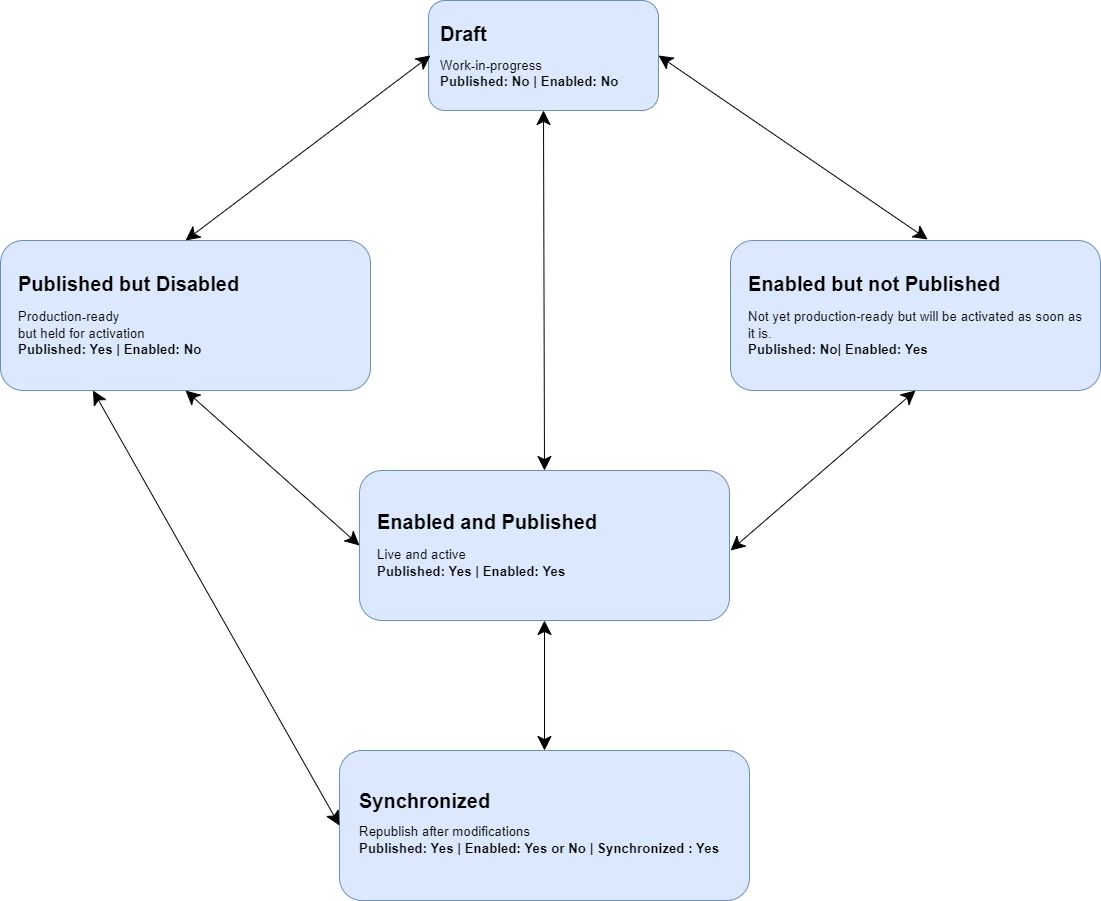
The above diagram illustrates the lifecycle flow of custom events and event actions after the introduction of the staging state, where staging state is primarily represented by two attributes: Published and Enabled.
The configuration process begins in the Draft state, where the item is still under development and is neither published nor enabled. From this state, it can transition to Published but Disabled, indicating that the configuration is production-ready but not yet active, or to Enabled but not Published, where it is prepared for activation but not yet ready for production use.
Alternatively, if all required conditions are met, the configuration can move directly from Draft to the Enabled and Published state, where it becomes live and fully operational at the runtime system.
When changes are made to a configuration that is already published and has been republished with the latest changes, it transitions into the Synchronized state. This state signifies that it has already been republished, while still retaining its published status and current enabled or disabled setting.
The actions are bidirectional between these states, providing flexibility in the workflow and allowing transitions back to the Draft state for further revisions, as well as movement between intermediate states as needed. This approach supports iterative development, controlled releases, and efficient management of event configurations.
Benefits of the New Staging State
- Controlled go live: Activation is gated by an explicit Publish/Activate steps, preventing accidental production impact of configurations going live as soon as an enabled configuration is imported.
- Ability to enable custom events and event actions in a later stage when required but still indicating that the configuration is ready for production.
- Consistent with other configuration types making it easy to manage dependencies among configurations during import.
- Changes after publishing are detected and require manual sync, giving you control at what point updates are applied.
User Interface Changes
New Commands
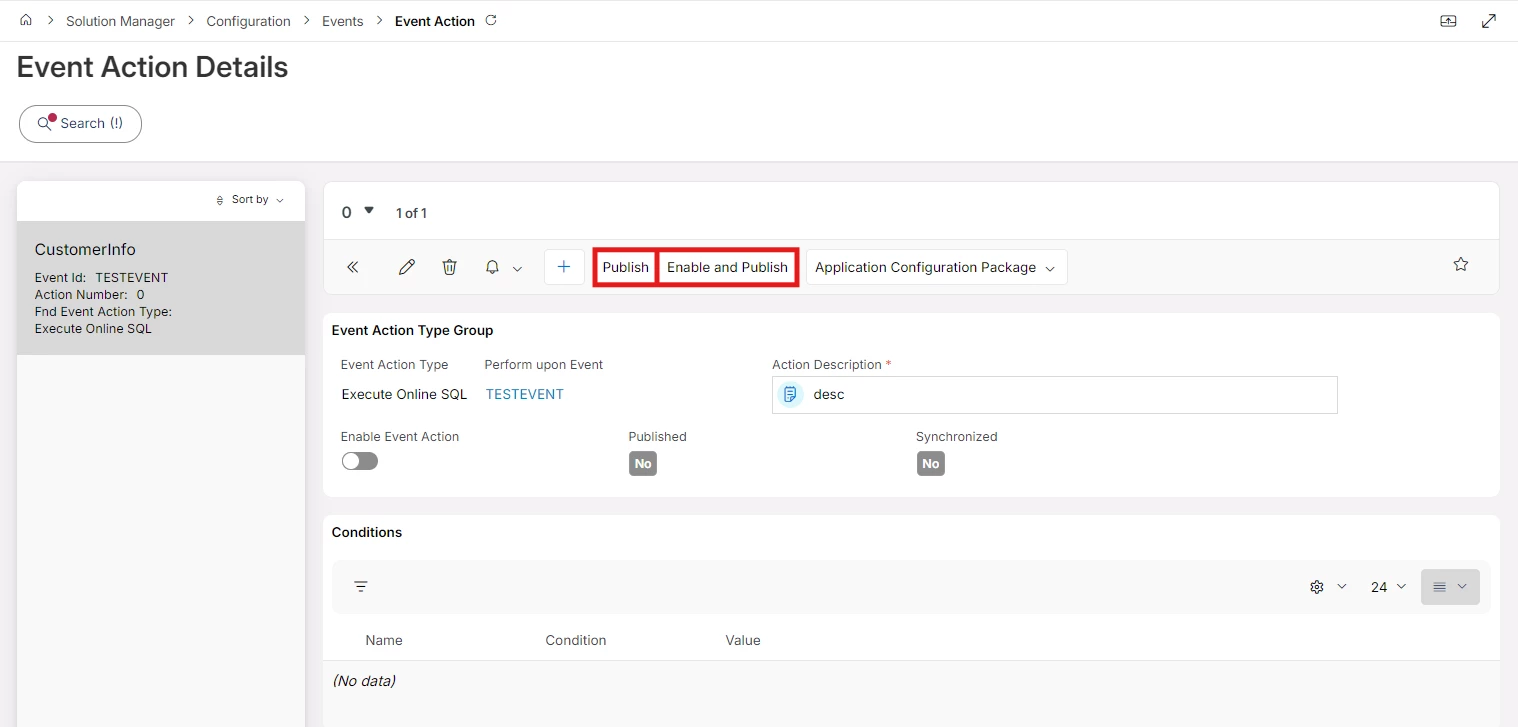
- Publish – Used to indicate it is production-ready and no work is in-progress.
- Enable and Publish – Used to indicate it is production-ready and enabled, meaning that if it is imported to another environment in this state, it will be active as soon as it is imported and published.
Note: In custom events, for an event to be enabled and published, it must have at least one action that is also enabled and published.
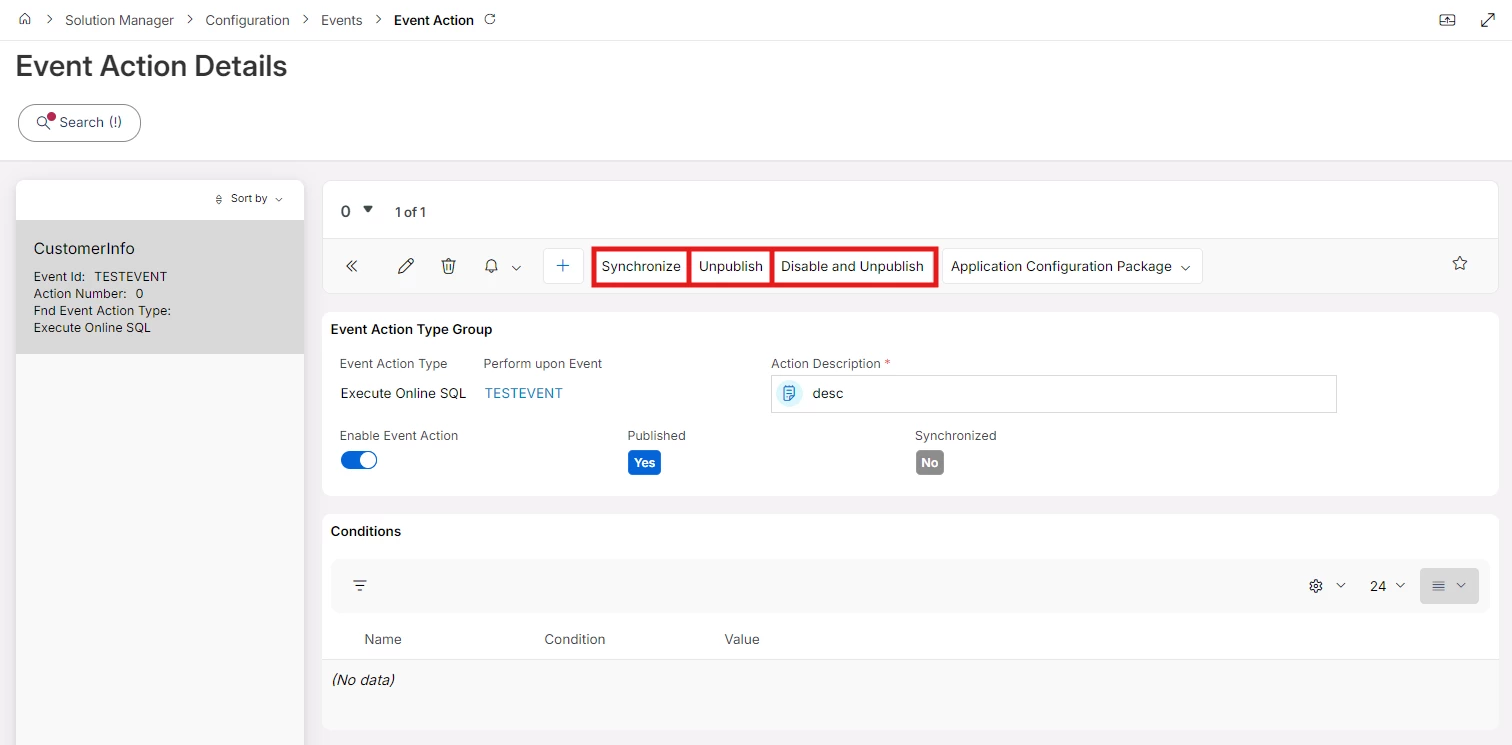
- Unpublish – Used to indicate it is no longer applicable.
- Disable and Unpublish - Used to indicate it is no longer applicable, and disabled from the environment.
- Synchronize – Used to merge and publish any changes done.
Note: Above mentioned commands will be available on both the Custom Event Details and Event Action Details pages.
Visual Indicators
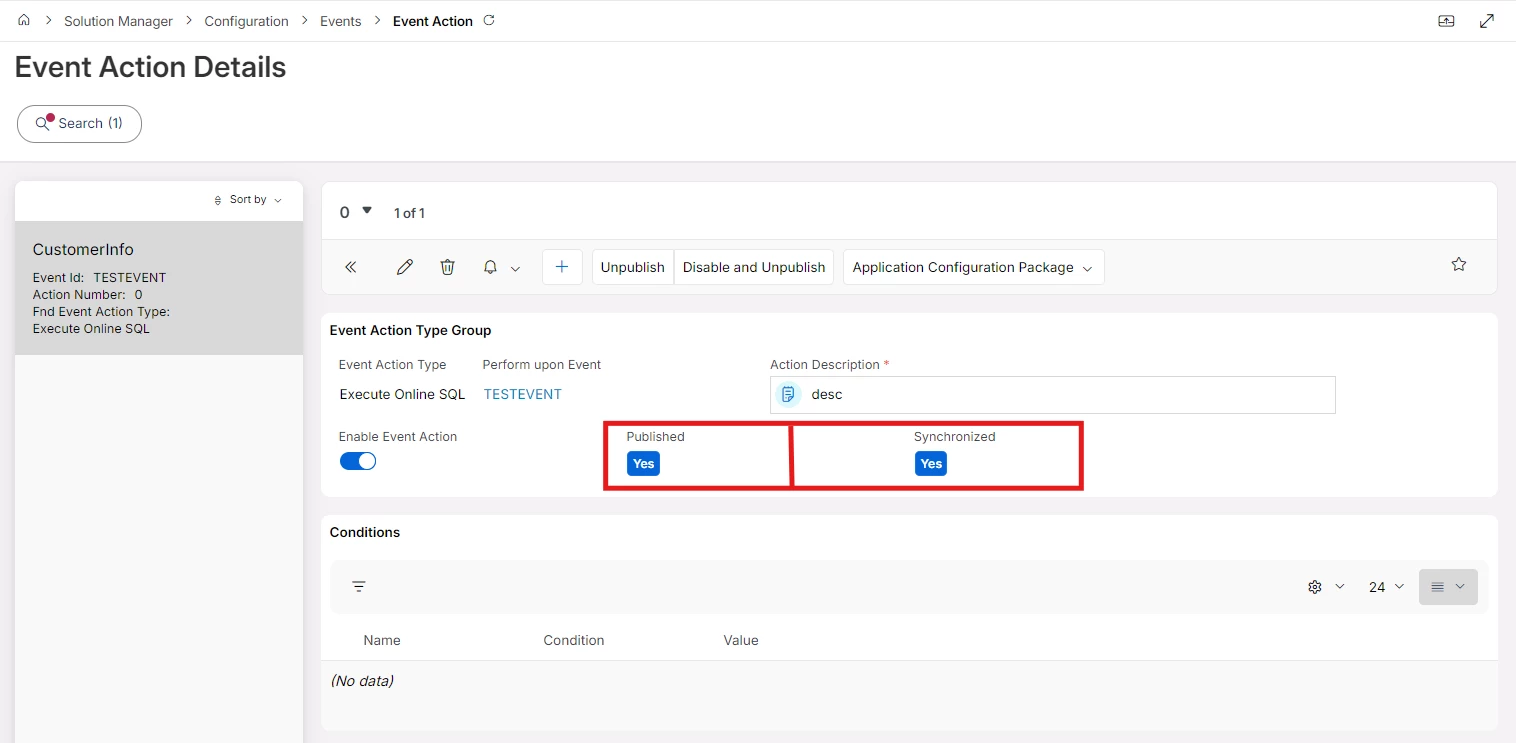
- Published: Used to indicate at least one version of the configuration is production-ready.
- Synchronized: Indicates whether the latest changes of the configuration is set as production ready.
Custom Event and Event Action Creation Assistants
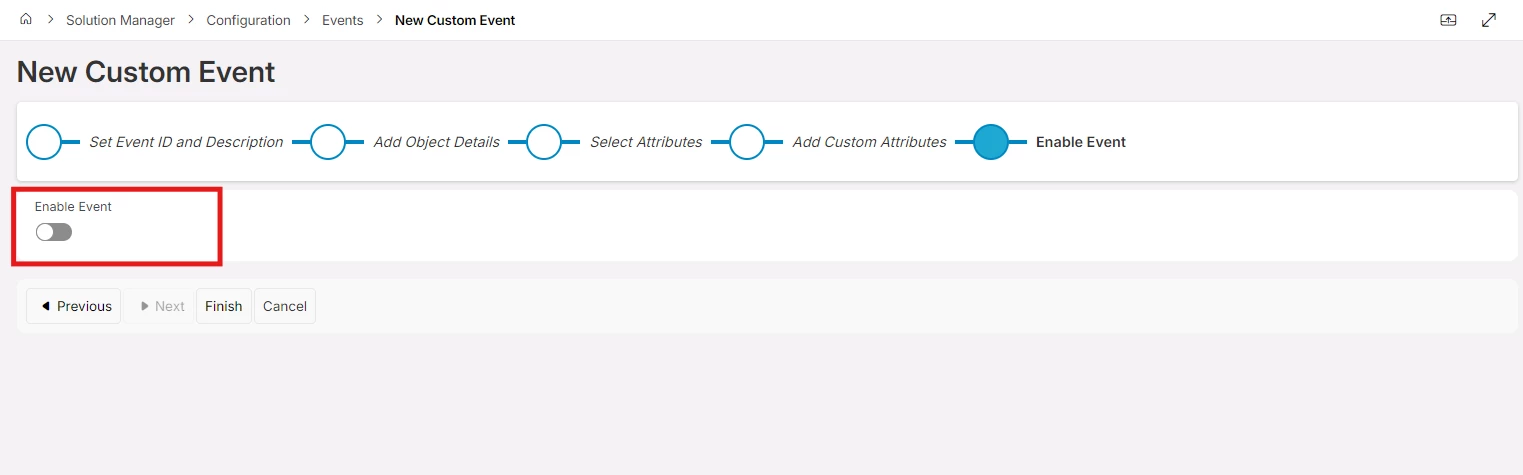
- New Custom Event Assistant Enable Toggle: Option to enable custom events immediately when creating.
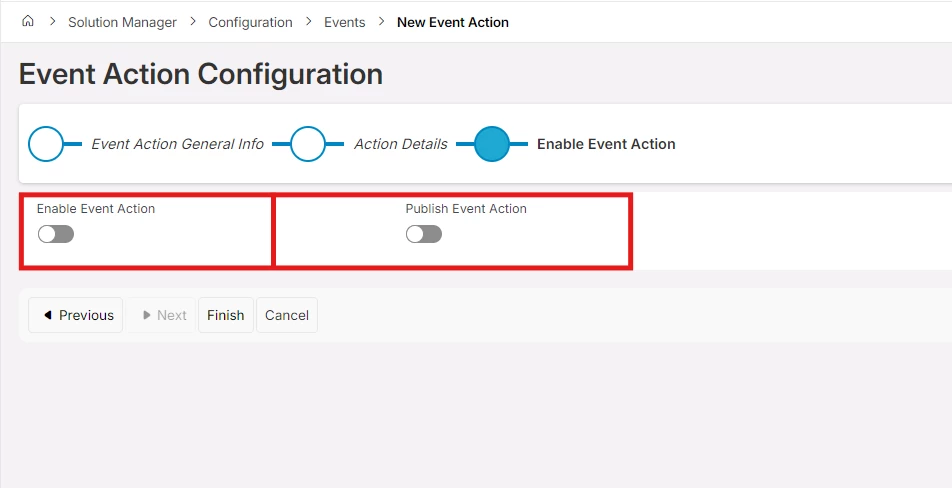
- New Event Action Assistant Enable Toggle: Option to enable event actions immediately when creating.
- New Event Action Assistant Publish Toggle: Option to publish event actions immediately when creating.
Impact on Existing Events
Migration Approach
- Existing all (both enabled & disabled) events/event actions will be automatically migrated to "Published" state.
| Previous State | State in 26R1 or later |
|---|---|
| Enable | Enable & Published |
| Disable | Disable & Published |
- Published date will be handled automatically by the update process.
- Pre-26R1 behavior at runtime is preserved (enabled events remain active).
Backward Compatibility with Import / Export
- All current export/import processes remain unchanged.
- Custom events and event actions are now published as part of the application configuration package, consistent with other configuration types.
- Configuration files exported prior to this update can be imported into the updated application without requiring any additional steps.
- The system handles all migration automatically, ensuring your existing configurations continue to work exactly as they did previously.
Impact of Integrations and Customizations
- With the introduction of the ability to publish Custom Events and Event Actions, integrations and customizations that create or manage custom events or event actions using IFS APIs must consider that a custom event and its actions should be in a published state to become active.