Question

Different Prices on Multiple POs for the Same Supplier and Part

  • March 13, 2026
  • 3 replies
  • 32 views

Forum|alt.badge.img

Hello 😎,


User created 3 PO for same part no. The issue we found is that 1 of POs has different price.

The expected price is 0.9821, which is the supplier price for this purchase part, but one PO shows the price as 0.9800.

I have already checked the History Log and could not find any record of manual price changes.

At this point, I am unable to identify the root cause. Does anyone have suggestions on how to investigate this issue further or what could cause this price difference?


3 replies

Forum|alt.badge.img+13
  • Hero (Partner)
  • March 13, 2026

@Pepodexr Are you using the Price List function on the Supplier for Purchase Part with any price breaks? and/or a Supplier Agreement?

Are both purchase orders for the same quantity?  


jbush0419
Do Gooder (Customer)
Forum|alt.badge.img+3
  • Do Gooder (Customer)
  • March 13, 2026

Hi ​@Pepodexr ,

This is a common issue that can have several root causes. Let me walk you through the key areas to investigate when you have unexpected price variations on POs for the same supplier and part.

First, check these potential pricing sources:

  1. Supplier Agreements - Navigate to Supplier for Purchase Part and check the Agreement tab. Look for any active supplier agreements that might override the standard purchase part price. Even if the main price shows 0.9821, an agreement with 0.9800 could be taking precedence.

  2. Price Lists - In the same Supplier for Purchase Part window, check the Price List tab. There might be time-based price breaks or quantity-based pricing that could explain the difference.

  3. Manual Price Changes on PO Lines - Even though you checked the History Log on the purchase part, try right-clicking on the specific PO line with the different price and select Detail History. This will show you if someone manually changed the price directly on that PO line after creation.

Other factors to investigate:

  • Purchase Requisition Source - If these POs were created from different sources (manual entry vs. requisitions vs. planning), the pricing logic might have pulled from different places
  • Currency and Exchange Rates - Verify all three POs are using the same currency code and that exchange rates haven't fluctuated between PO creation dates
  • Site/Contract Differences - Make sure all POs are for the same site/contract
  • Order Quantities - Check if there are quantity break prices that might trigger at different order volumes

To troubleshoot systematically:

  1. Compare the Purchase Order Line details side by side for all three POs
  2. Look at the Get Price Info functionality - you can simulate pricing by using the price calculation features
  3. Check if there are any Custom Events or Custom Fields that might be influencing pricing

The fact that you're seeing 0.9821 vs 0.9800 suggests this might be a rounding issue or potentially a supplier agreement with slightly different terms. I'd particularly focus on the supplier agreement angle first.

-jason


Forum|alt.badge.img
  • Author
  • Do Gooder (Partner)
  • March 16, 2026

Hi ​@Pepodexr ,

This is a common issue that can have several root causes. Let me walk you through the key areas to investigate when you have unexpected price variations on POs for the same supplier and part.

First, check these potential pricing sources:

  1. Supplier Agreements - Navigate to Supplier for Purchase Part and check the Agreement tab. Look for any active supplier agreements that might override the standard purchase part price. Even if the main price shows 0.9821, an agreement with 0.9800 could be taking precedence.

  2. Price Lists - In the same Supplier for Purchase Part window, check the Price List tab. There might be time-based price breaks or quantity-based pricing that could explain the difference.

  3. Manual Price Changes on PO Lines - Even though you checked the History Log on the purchase part, try right-clicking on the specific PO line with the different price and select Detail History. This will show you if someone manually changed the price directly on that PO line after creation.

Other factors to investigate:

  • Purchase Requisition Source - If these POs were created from different sources (manual entry vs. requisitions vs. planning), the pricing logic might have pulled from different places
  • Currency and Exchange Rates - Verify all three POs are using the same currency code and that exchange rates haven't fluctuated between PO creation dates
  • Site/Contract Differences - Make sure all POs are for the same site/contract
  • Order Quantities - Check if there are quantity break prices that might trigger at different order volumes

To troubleshoot systematically:

  1. Compare the Purchase Order Line details side by side for all three POs
  2. Look at the Get Price Info functionality - you can simulate pricing by using the price calculation features
  3. Check if there are any Custom Events or Custom Fields that might be influencing pricing

The fact that you're seeing 0.9821 vs 0.9800 suggests this might be a rounding issue or potentially a supplier agreement with slightly different terms. I'd particularly focus on the supplier agreement angle first.

-jason

Thank you for your replay🙂.

Based on my initial checks, we do not use Supplier Agreements on Supplier for Purchase Part screen.
There is a Price List with a valid price during the period when user created new PO.
The user who created the PO does not have permission to manually change price in PO Lines.
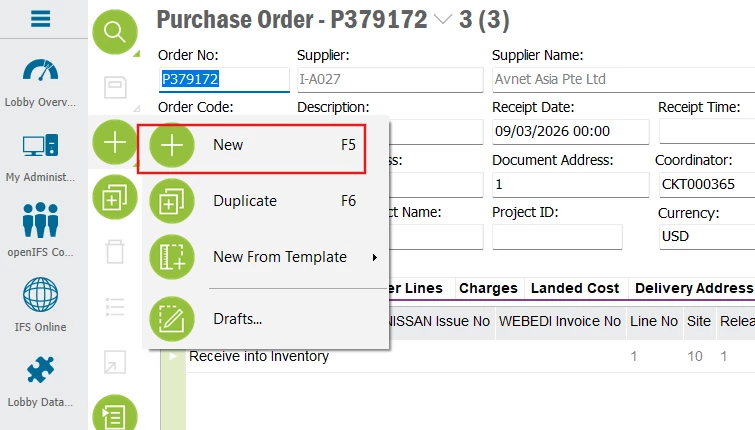
All three POs use USD as the currency, are under the same site, and were created by clicking New PO (manual creation).

Purchase Order Line


Supplier for purchase part


Create New PO