Question

Custom Field on "Customer Invoices Due for Payment Analysis"

  • June 8, 2026
  • 3 replies
  • 27 views

Forum|alt.badge.img

Hi everyone

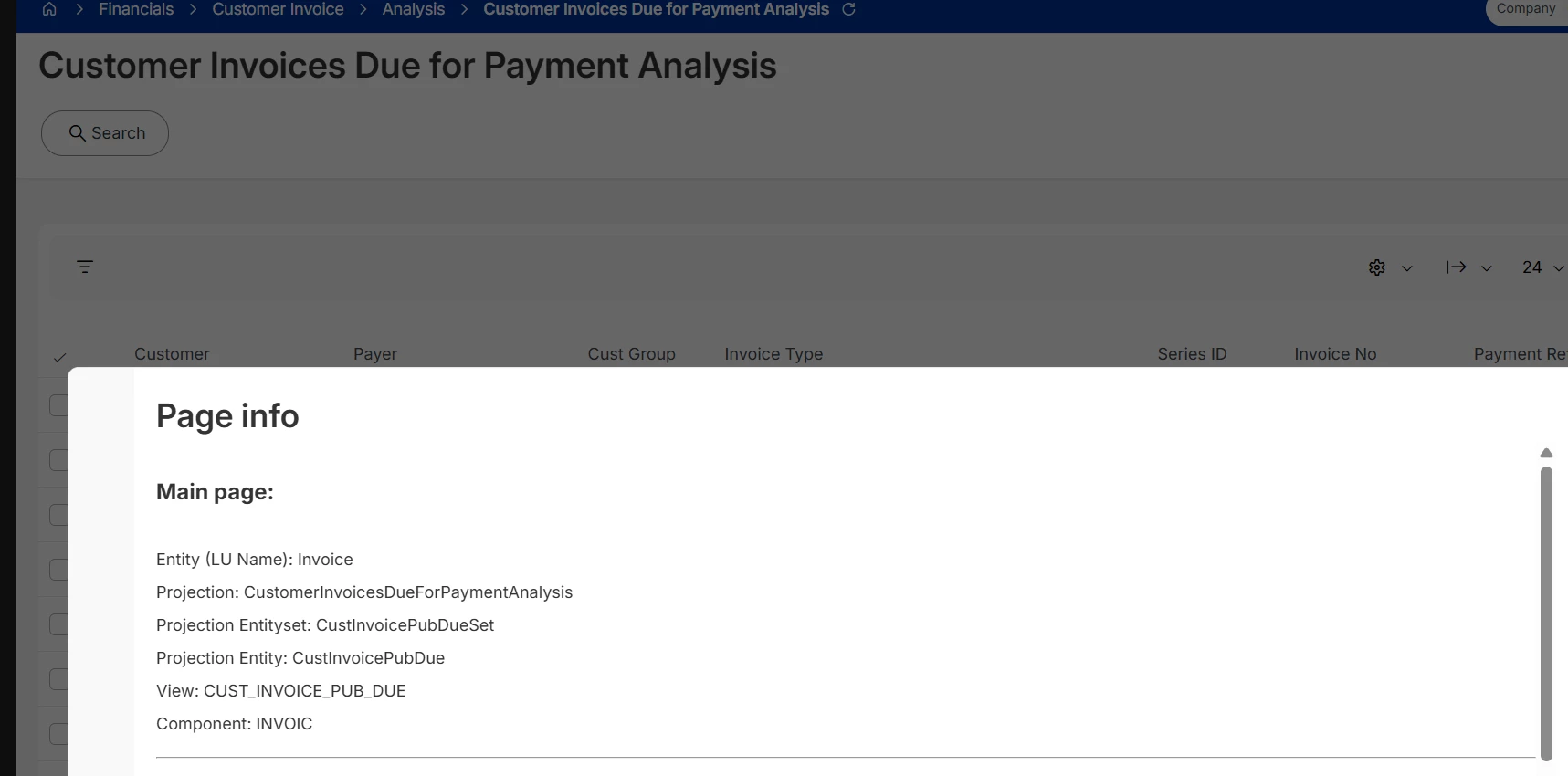
I am trying to create read only Custom Fields on "Customer Invoices Due for Payment Analysis". I created all CF successfully on Entity “Invoice” as it is the one described in Page Info.
 

However, when I try to display them on screen, I get some errors. 

First I select “Invoice” as Entity
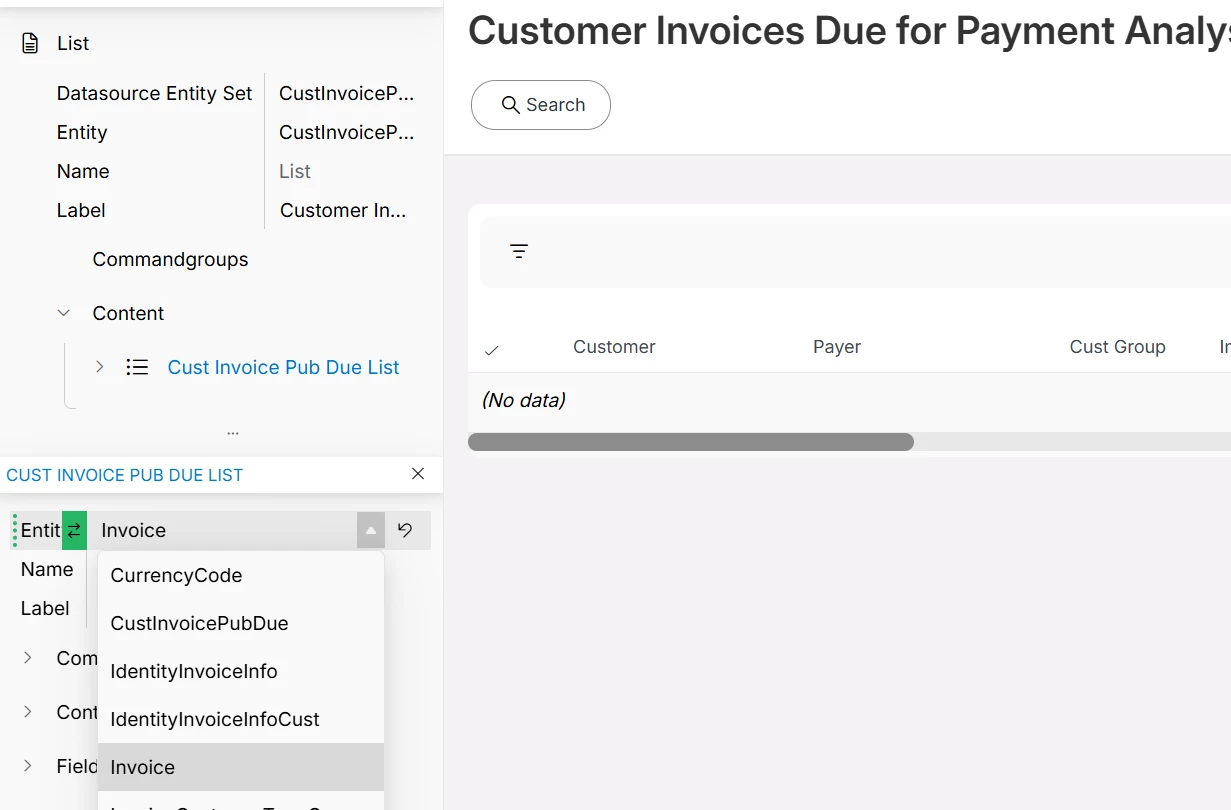
Then I select a CF
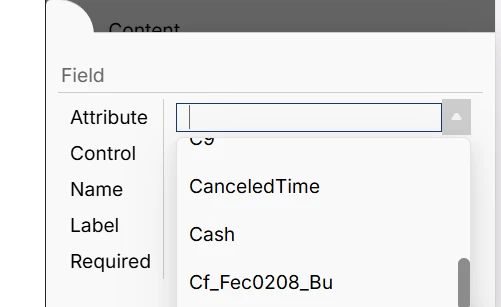
 

Then I get this error 

Malformed Request.
Error details: [{"code":"EXPRESSION_PROPERTY_NOT_IN_TYPE","message":"The property 'Cf_Fec0208_Bu', used in a query expression, is not defined in type 'CustInvoicePubDue'."}
]


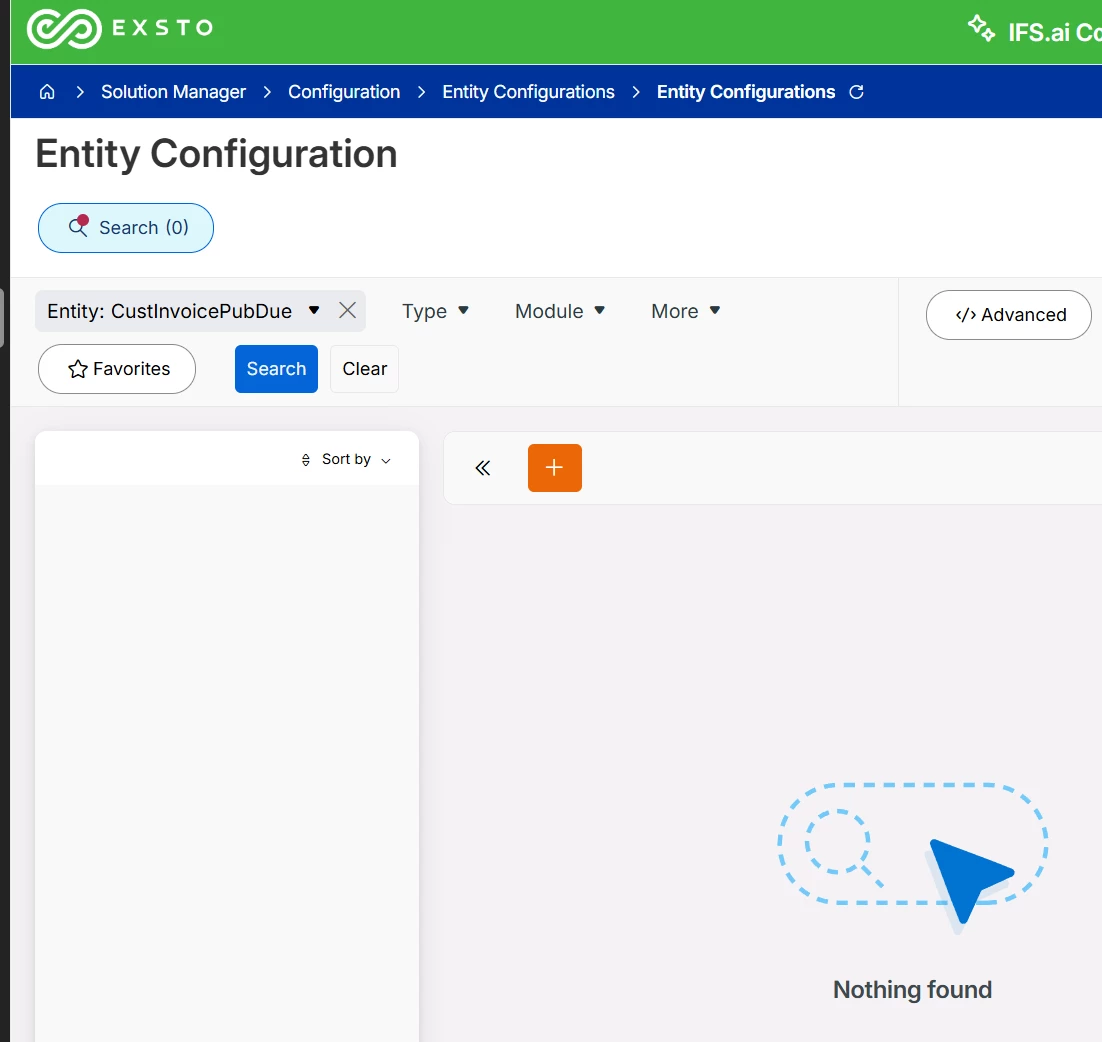
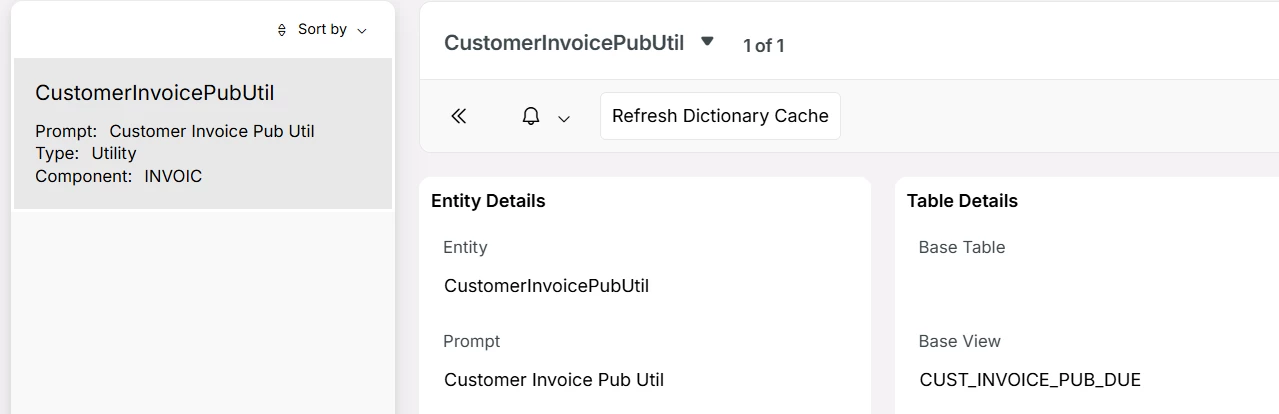
I also tried to create custom fields in the entity connected to view CUST_INVOICE_PUB_DUE but then I do not find my CF in the page designer.
 

Could anyone help on this topic ?

Many thanks

3 replies

ashen_malaka_ranasinghe
Hero (Employee)
Forum|alt.badge.img+14

Hi ​@BFRIED,

The screen's Page Info shows Entity = Invoice, but that is the base/LU entity. The list's actual datasource entity is CustInvoicePubDue. When you query the screen, IFS fetches data through the CustInvoicePubDue projection entity, so any CF must be visible on that entity, not just on Invoice.

In IFS Cloud architecture, the UI does not read data directly from the underlying tables or entities. Instead, it consumes data through projections, which act as an abstraction layer between the database and the user interface. These projections define which attributes are available to the screen, meaning that even if a custom field exists on an entity, it will not be visible in the page unless it is exposed through the corresponding projection. Therefore, adding a custom field to the Invoice entity alone is not sufficient if the page is built on a different projection or view.

Why your second attempt also failed?

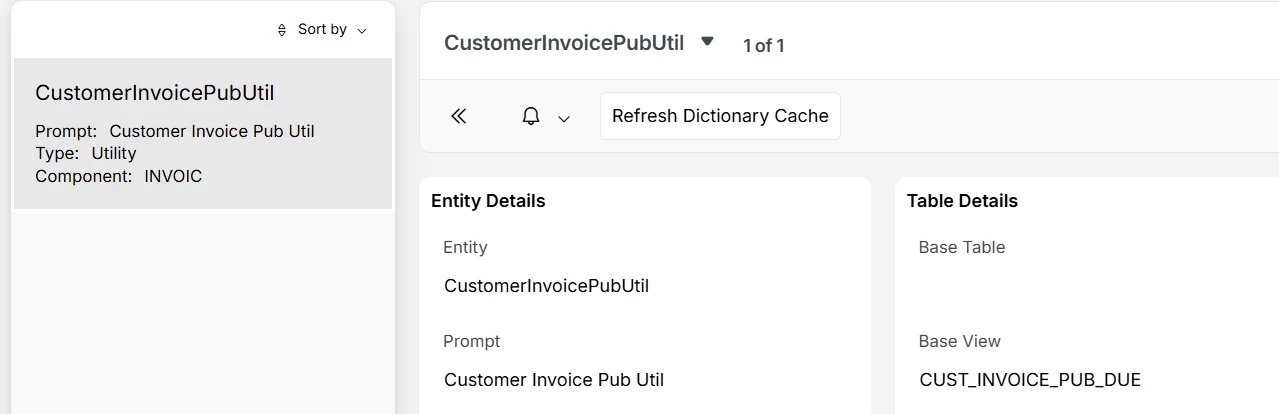
The last image (see the image below) in the description shows that the entity tied to view CUST_INVOICE_PUB_DUE is CustomerInvoicePubUtil, which is of Type = Utility. Custom Fields created on a Utility entity won't surface in Page Designer's attribute list for the list component, which is why you couldn't find them.

The correct approach

You need to create the Custom Field on the entity CustInvoicePubDue specifically, not on Invoice and not on CustomerInvoicePubUtil.

Here's the step-by-step:

  1. Go to Custom Fields (Solution Manager → Customization → Custom Fields)
  2. Set Entity = CustInvoicePubDue
  3. Create your CF as Read Only, and for the value source, use a Database Formula or Enumeration pointing to the same underlying column as the one on Invoice (e.g. reference the same table column your Invoice CF uses)
  4. Save and Refresh Dictionary Cache
  5. Go back to Page Designer on the "Customer Invoices Due for Payment Analysis" screen
  6. Select the list component → the CF on CustInvoicePubDue should now appear in the attribute dropdown

Note: In IFS Cloud, the CF must be created on the Projection Entity that the page component actually reads from which is what appears as Datasource Entity in Page Designer, not necessarily what Page Info shows as the LU.

The Page Info → Entity tells you the business LU, but the list's Datasource Entity Set / Entity is what governs which CFs are available at runtime.


Forum|alt.badge.img
  • Author
  • Do Gooder
  • June 8, 2026

Hi ​@ashen_malaka_ranasinghe 

Many thank for your reply

However I also tried to find this entity at first, but it does not exist in entity configuration. 

There is no screen such as Solution Manager → Customization → Custom Fields in IFS Cloud 25R2

Am I missing something ?


ashen_malaka_ranasinghe
Hero (Employee)
Forum|alt.badge.img+14

Hi ​@BFRIED,

To correctly display custom fields in such a scenario, it is important to understand that custom attributes must be available in the exact projection and view used by the page. In IFS Cloud, when a custom attribute is created, it is initially attached to the main entity view, but additional steps are often required to make it available in other views or projections. These include approving the attribute for the relevant detail views and ensuring it is published and exposed through the projection that the page consumes.

Refer to the following documentation on more information:

https://docs.ifs.com/techdocs/25r1/040_tailoring/225_configuration/400_entity_configurations/100_create_custom_attribute/

In practical terms, the issue can usually be resolved by either exposing the required field through a projection configuration or by creating a reference/read-only custom attribute that retrieves data from the correct source and is compatible with the projection used by the page. In cases where the standard projection does not support the required fields, it may be necessary to extend the projection or create a custom projection that includes both the required entity and attributes and then bind that to a custom page.

Refer to the following documentation on more information:

https://docs.ifs.com/techdocs/25r1/040_tailoring/225_configuration/300_projection_configurations/100_adding_custom_lus/

In summary, the problem is not with the custom field itself, but with the mismatch between where the field is created and what the UI projection exposes. In IFS Cloud, successful customization depends on aligning the entity, projection, and page design together. Simply creating a custom field on the base entity is insufficient if the target page is based on a different projection that does not include that field.