

Question

Question on Custom Field Setup

  • April 28, 2026
  • 3 replies
  • 51 views

Forum|alt.badge.img+8

In the contract quotations module we are trying to create a new custom field which captures the total value. 

We need this field to be visible in the QBE screen so we selected the option “save value” for the storage type during the custom field setup:
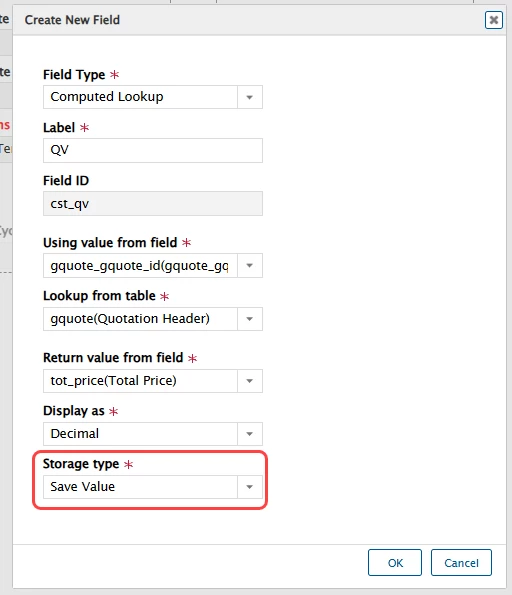
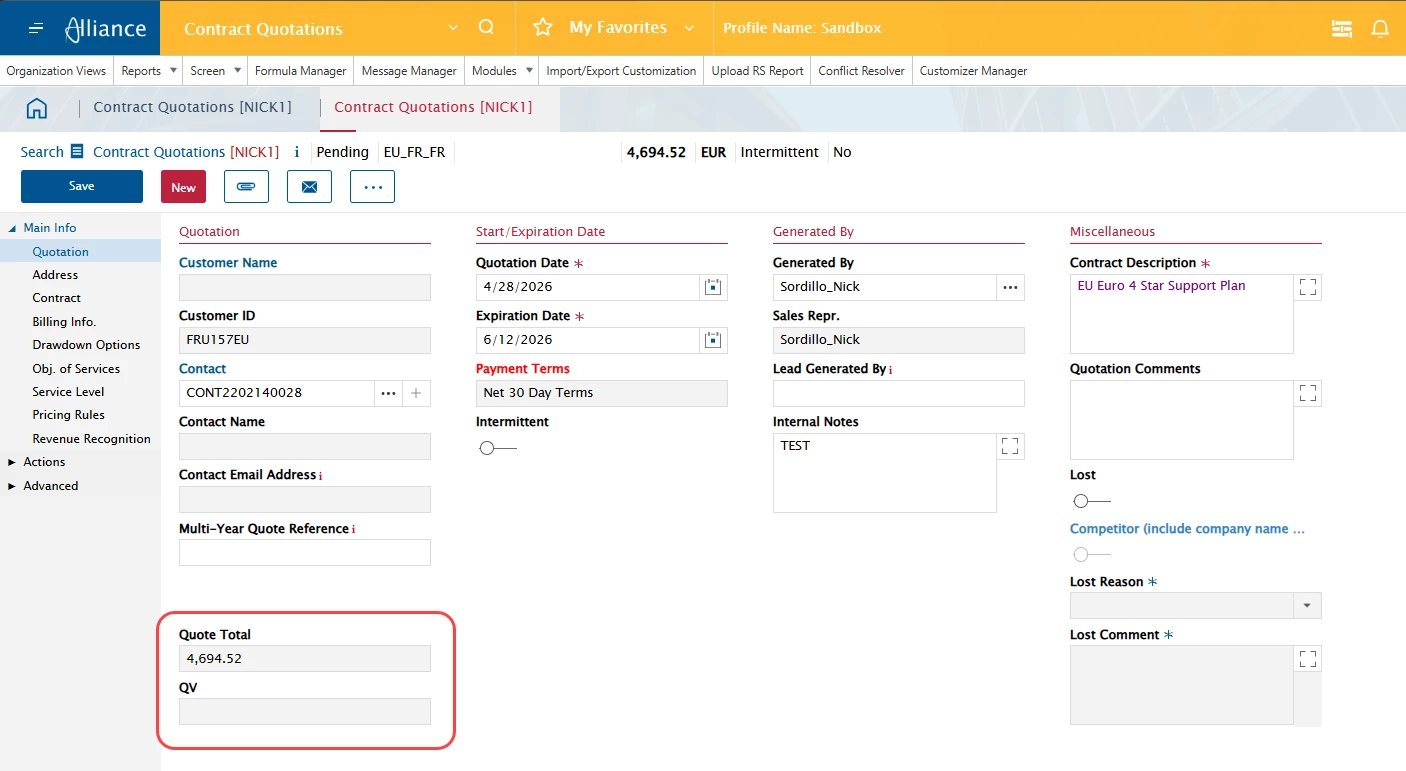
The new field (QV) does appear in the QBE screen, however the value is blank on all records. 

If we setup the field (Quote Total) with a storage type of “compute only - do not save” then this populates and works as expected.

Is there anything else needed to get the QV field to work as expected?  We turned on the process flow services in case they were needed and it did not make a difference.

 

3 replies

Forum|alt.badge.img+8
  • Author
  • Sidekick (Customer)
  • April 28, 2026

We did try to make changes to the record and then save it to see if this would trigger the custom field to be populated, but unfortunately it did not.


Phil Seifert
Ultimate Hero (Employee)
Forum|alt.badge.img+24
  • Ultimate Hero (Employee)
  • May 15, 2026

Hi Nick,

Unfortunately, I was not able to get this to work either with a computed lookup either.  Checking the DB, it is not saving to the table row properly or at all under any circumstances which is of course a reason why it does not display in the UI, it is null or blank.  If it is a computed lookup but not saved, then it is calculated each time you open the document as you noted.  However, I would not think this would then be available to the QBE as the calculation is only executed when opening the document which you have not done yet while searching for the quotation in the QBE.

I understood you were also attempting to save a value direct to the column gquote.cst_qv as well but the value still is not displayed.

If this is for v15.4, I would suggest logging a support ticket to have this reviewed by our developers further.  Any lower Alliance version would have to be done as a services request, not support.

Another option I found though it will not add it to the QBE but will display on the Quotation page, is to use customizer to delete the Charge Price field (assuming you are using line pricing), save and then add a deleted field to the Quotation field selecting the deleted Charge Price field.  At least this will show it on the main page but it will not add it to the QBE.

Hope this helps.


Forum|alt.badge.img+8
  • Author
  • Sidekick (Customer)
  • May 15, 2026

Thanks Phil for your feedback.  We also tried a computed expression but that did not work either.  We have opened a support ticket and are working on this with them.

